

Never Lose Track of a Photography Inquiry Again
Iris Works keeps every photography lead in one organized place, clearly marked and easy to find, so inquiries never get buried in your inbox, DMs, or a spreadsheet.
Why Lead Organization Matters for Your Photography Business
Every photography business has a leak, and it's rarely the shooting, editing, or delivery. It's what happens between "someone inquired" and "I actually followed up." An inquiry comes in through your website, and without one clear place to see it, tag it, and come back to it, it quietly gets lost between your inbox, your texts, and your memory.
Iris Works gives photographers one central place to capture an inquiry and keep it visible. New leads are automatically marked so you always know who's an active lead versus a booked client, and you can filter your list down to leads only when it's time to follow up. When someone books, you update their status yourself with a couple of clicks, so your list always reflects where things actually stand.
Everything You Need to Keep Photography Leads Organized
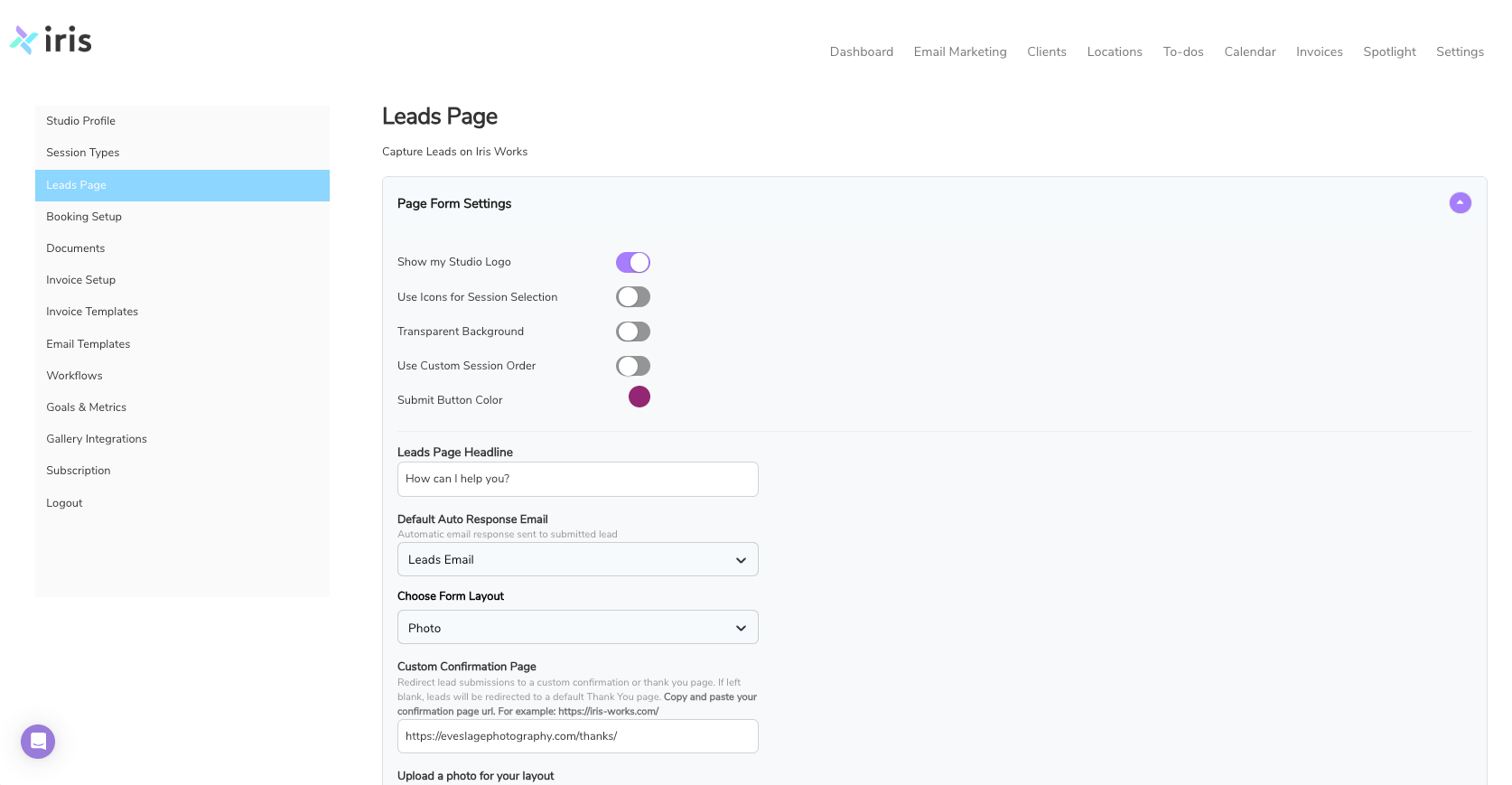
One Simple Lead Form
Capture every inquiry the same way, every time
A single lead form for capturing new inquiries Submissions land directly in your client list, ready to review A "how did you hear about us?" question built into the form, so you know at a glance whether someone found you through referral, social, search, or another source No separate inbox to check; leads show up right alongside your existing clients
Leads Marked and Easy to Find
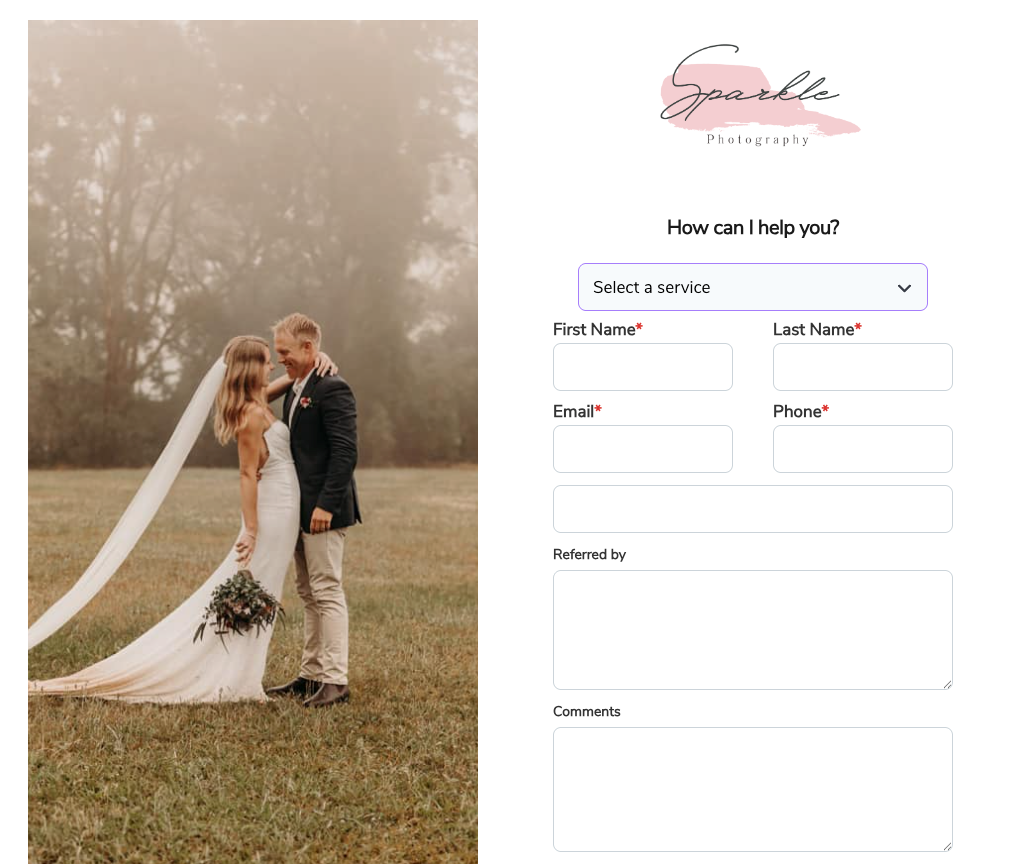
Know who's a lead at a glance
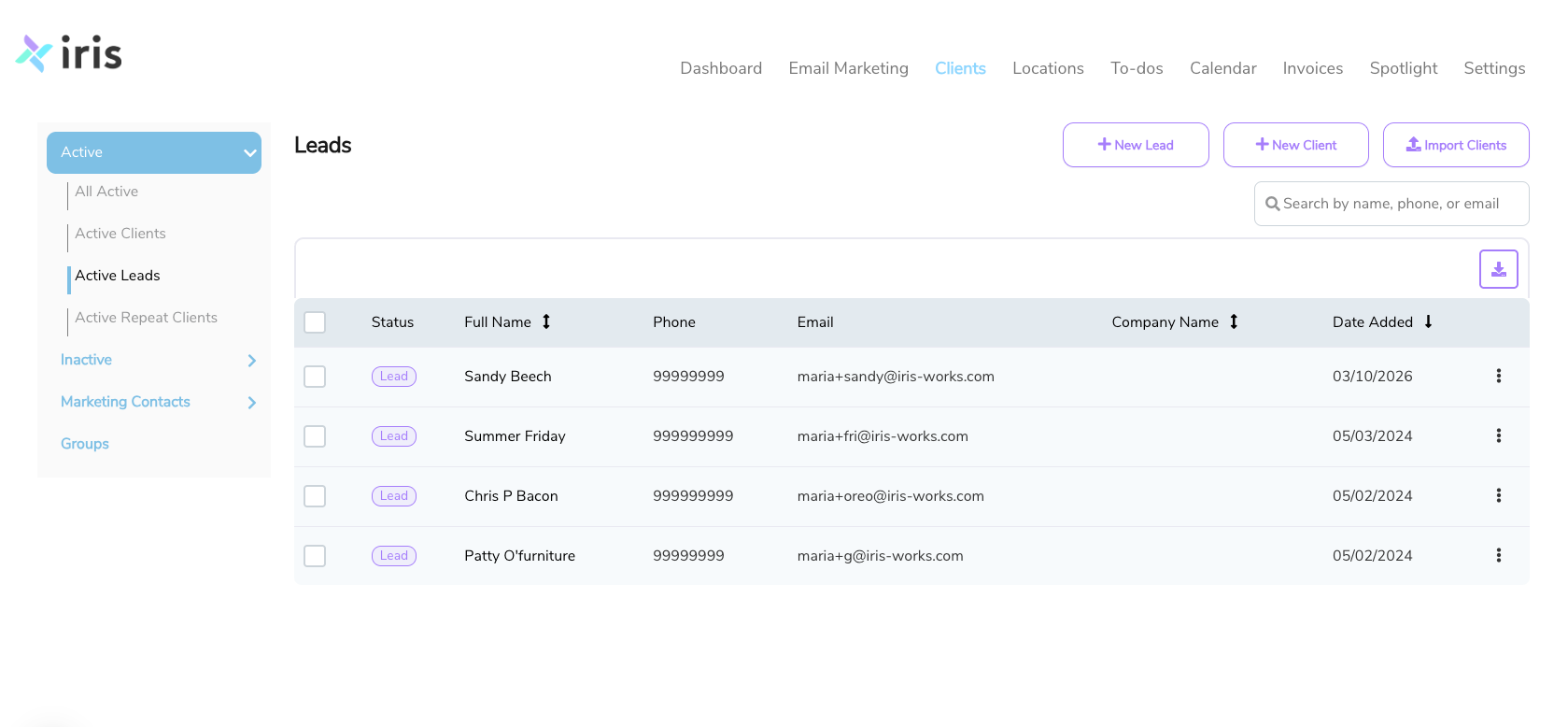
New leads are automatically shown in purple in your client list, so they stand out visually Filter your entire client list down to leads only when you're ready to follow up No digging through email threads or spreadsheets to remember who's still deciding
One-Click Status Updates
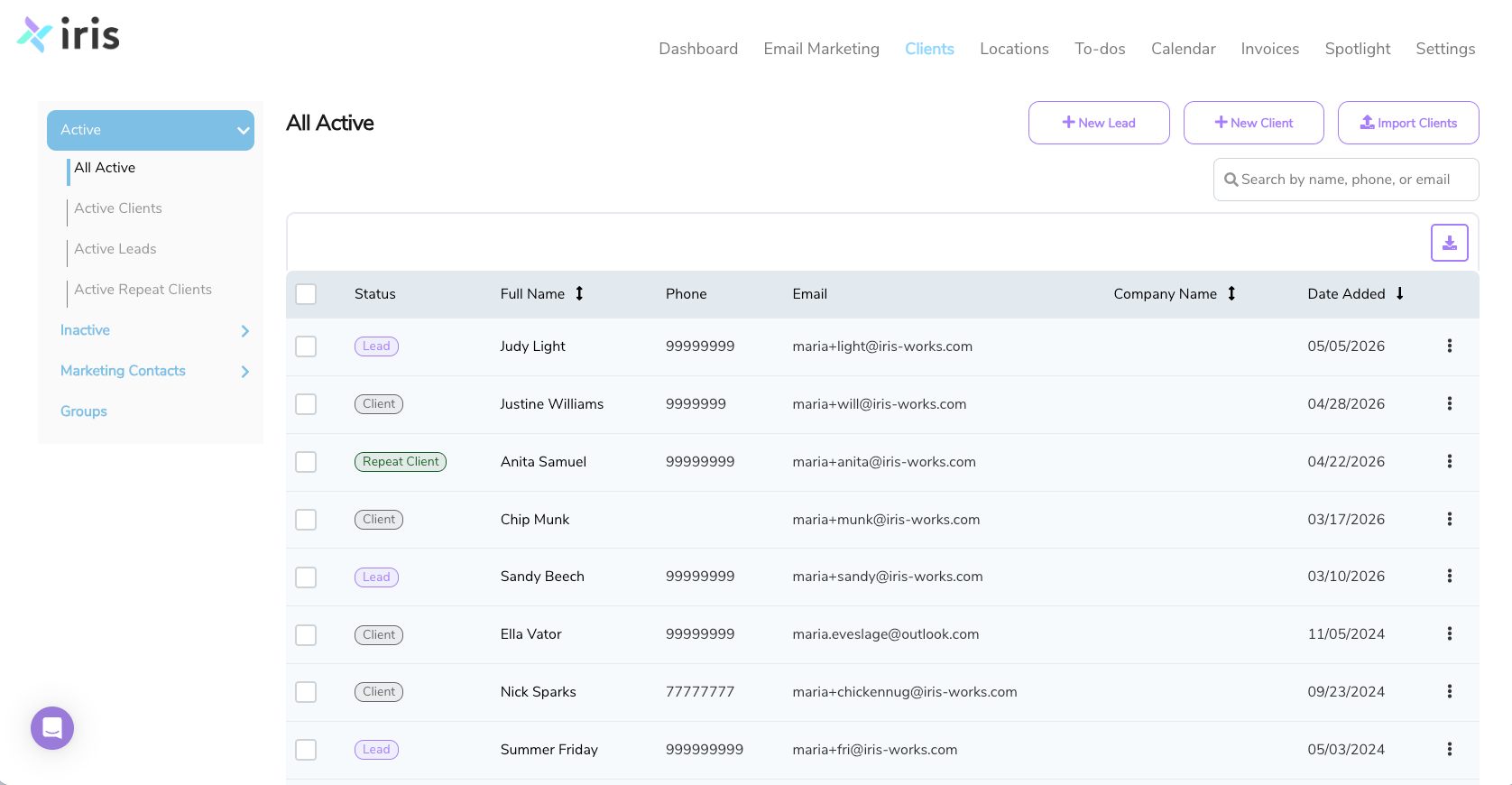
Move someone from lead to client in a couple of clicks
Use the three-dot menu on any contact to mark them as a
lead,
client, or
repeat client Update status the moment someone books, no re-entering their information elsewhere Track repeat clients the same simple way, so past clients who rebook are just as easy to spot as new leads
Photography Lead Tracking That Keeps You Organized
Iris Works isn't a complicated sales
CRM. It's a simple, visual way to keep photography inquiries from getting lost, built by photographers who know your leads deserve better than a messy inbox.
One Place for One Place for Every Inquiry
New leads land in your client list automatically, no separate tool to check. No follow-up required.
See Your Leads at a Glance
Leads are clearly flagged, and one-click filtering means you always know who's still deciding.
A Simple Path from Lead to Client
Update someone's status in a couple of clicks the moment they book.
Why Photographers Choose Iris Works Over a Scattered Process
Side-by-side with how most photographers currently track inquiries.
Photography Lead Tracking Solutions for Every Niche
Every photography niche has its own inquiry timeline. Here's how the same simple lead tracking fits each one

Wedding Photographers
Wedding inquiries often come in six to twelve months before the big day, which is plenty of time for a lead to get buried under newer messages. Keep every couple flagged as a lead until you're ready to follow up, then switch them to Client the moment they book, so your list always shows exactly who's still deciding versus locked in.

Newborn Photographers
Newborn leads usually reach out while a client is still pregnant, long before there's a session to schedule. Keep them flagged as a lead for as long as you're waiting on a due date, then switch them to Client once the details are set, so nobody gets lost in the gap between inquiry and delivery.

Family Photographers
Mini-session inquiries can come in fast and in bulk, especially around the holidays. Every inquiry lands in the same list, flagged as a lead, so you can filter down to just the ones you haven't followed up with yet, even on your busiest booking days.

Portrait Photographers
Seniors, headshots, and personal branding inquiries all come through the same lead form and land in the same list. Filter down to leads only to see who's still deciding, then move them to Client the moment they book, no matter which type of session it is

Photography Studio Owners
Every inquiry your studio receives lands in the same client list, flagged as a lead, so nothing gets lost between team members checking different inboxes. Anyone on your team can filter to leads and see exactly who still needs a response.

Commercial Photographers
Commercial inquiries can sit in discussion for weeks before a project is confirmed. Keep them flagged as a lead for as long as they're pending, then switch them to Client the moment the project is signed, so your list always reflects where things actually stand.
Start Keeping Your Photography Leads Organized Today
✓ Full access to lead tracking features
✓ Unlimited leads and clients
✓ Import your existing clients
No credit card required • Full access to all features • Cancel anytime
Photographer FAQ: Lead Tracking in Iris Works
How does Iris Works help me keep track of photography leads?
When a new lead comes in through your lead form, it's added directly to your client list and automatically flagged as a lead, so it stands out from your existing clients. You can filter your whole list down to leads only whenever you want to review who still needs a follow-up.
Does Iris Works automatically follow up with my leads for me?
No, only the first email is automated. Follow-up in Iris Works is manual: the system helps you stay organized so you know exactly who's still a lead and who needs attention, but reaching out is something you do yourself.
What's the difference between a lead and a client in Iris Works?
A lead is anyone who has inquired but hasn't booked yet, flagged as a lead in your client list. Once they book, you update their status yourself using the three-dot menu on their contact, choosing "Make Client." If they book with you again down the road, you can mark them "Make Repeat" the same way.
Can I create different lead forms for different types of photography sessions?
Iris Works currently uses one lead form for capturing new inquiries, rather than separate forms per session type.
Does Iris Works integrate with my booking and contract system?
Yes. Lead tracking lives inside the same platform as Iris Works' booking calendars, contracts, and invoicing, so once someone becomes a client, everything else you need is in the same place.
What happens after my 14-day free trial?
You choose! If Iris Works is helping you stay organized, continue with one of our paid plans. If it's not the right fit, your trial simply ends, with no charges and no complicated cancellation process.