

Photography Invoicing Software Built for Photographers
Stop chasing payments and creating invoices from scratch. Send professional invoices, collect deposits, automate payment reminders, and get paid faster - all inside your photography CRM.
Photography invoicing software is a tool that lets photographers create, send, and track invoices for their sessions and services. Unlike generic billing apps, photography-specific invoicing software connects payment collection directly to client bookings, contracts, and workflows - so getting paid is a natural part of your client management process, not a separate administrative task.
A complete photography invoice typically includes:
- Session details (date, type, location)
- Total session fee with line-item breakdown
- Deposit/retainer amount and due date
- Remaining balance and payment due date
- Payment methods accepted
- Late payment terms
- Photographer and client contact information
Why Invoicing Matters for Your Photography Business
Getting paid shouldn't be the hardest part of running a photography business. But for most photographers, billing is a patchwork of emailed PDFs, spreadsheet tracking, and awkward follow-up texts when payments are late.
Iris Works invoicing software was built by photographers who understood that frustration. Every billing feature lives inside your CRM alongside your
bookings,
contracts, and client communications - so you have a complete picture of every client relationship, not just a payment record
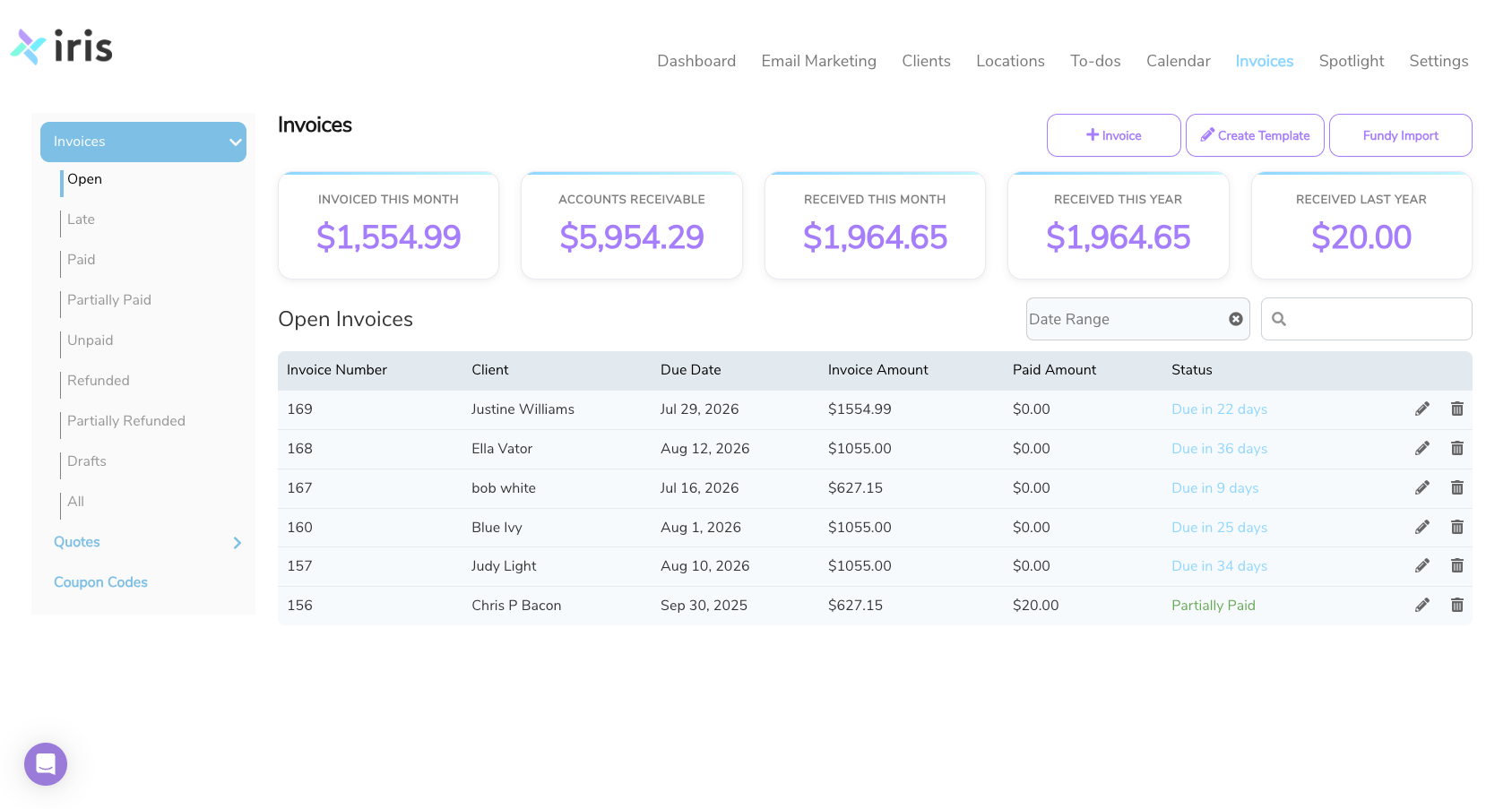
Everything You Need to Get Paid as a Photographer
BUILD ONCE, SEND FOREVER
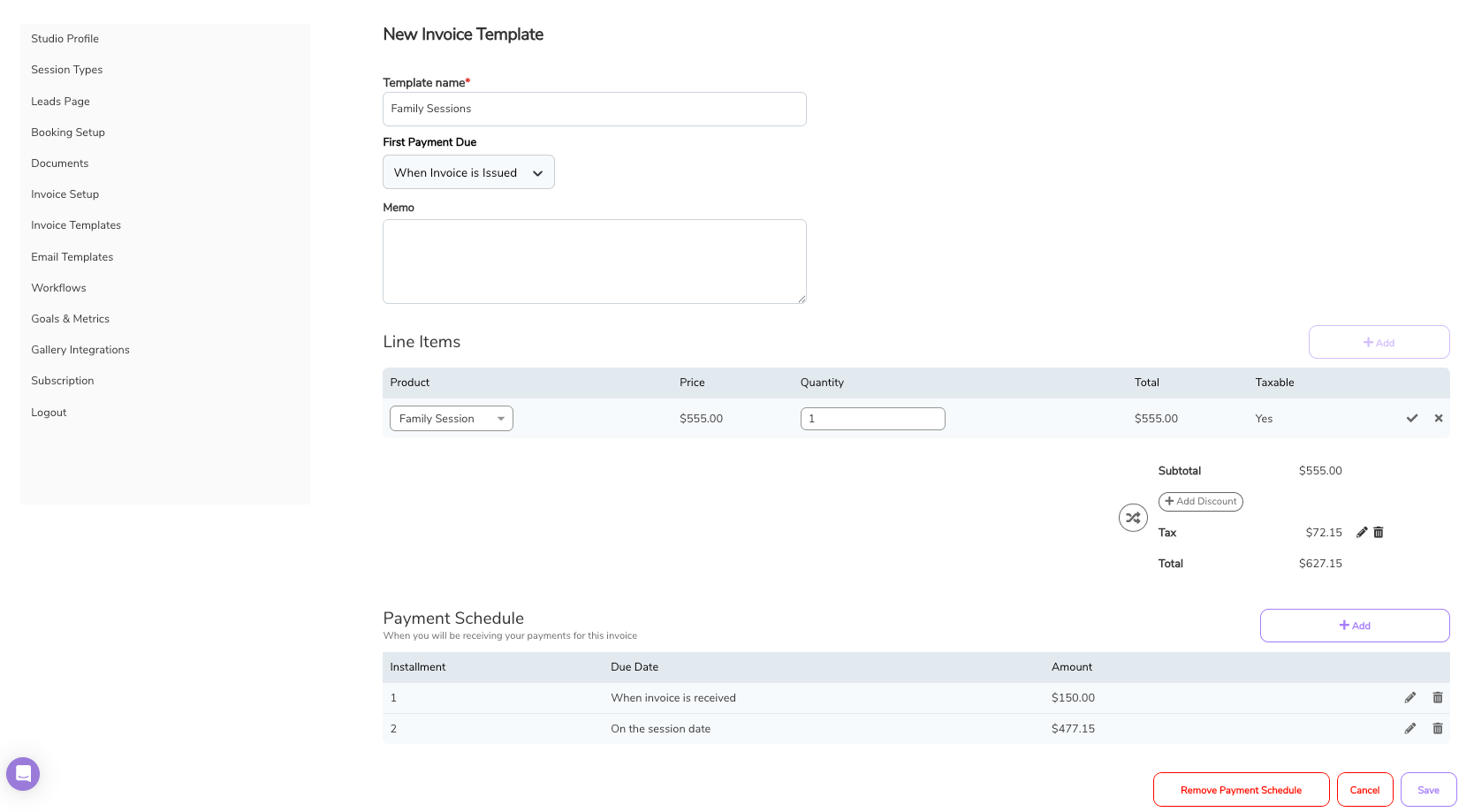
Professional Invoice Templates You Can Reuse
Create polished, professional invoice templates for every type of session you offer. Set your pricing once, and Iris Works fills in the client and session details automatically.
- Save unlimited invoice templates for different session types
- Customize line items, pricing, and payment terms per template
- Start from our pre-built photography invoice template or build from scratch
Perfect for:
- Wedding photographers billing for full coverage packages vs. engagement sessions
- Portrait photographers with different rates for families, seniors, and newborns
- Commercial photographers managing project-based vs. day-rate billing
DEPOSITS, BALANCES & PAYMENT PLANS
Flexible Payment Schedules That Work for You and Your Clients
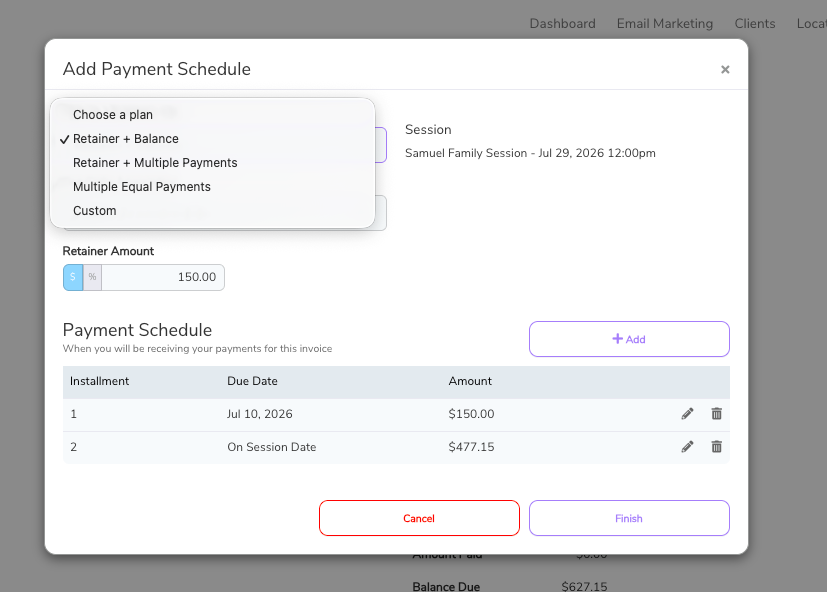
Not every client pays in full upfront. Iris Works lets you build custom payment schedules with deposits, balance due dates, and payment installments - then automates the entire collection process.
- Set retainer/deposit amounts and collect them at booking
- Schedule balance payments with custom due dates
- Create installment plans for larger packages
- Clients receive individual payment reminders for each scheduled amount
Why this matters:
Wedding photographers typically collect a retainer to hold the date, then a final payment 30 days before the wedding. Portrait photographers might collect full payment at booking. Whatever your billing model, Iris Works handles it.
ONLINE PAYMENTS, MADE EASY
Accept Online Payments Through Square
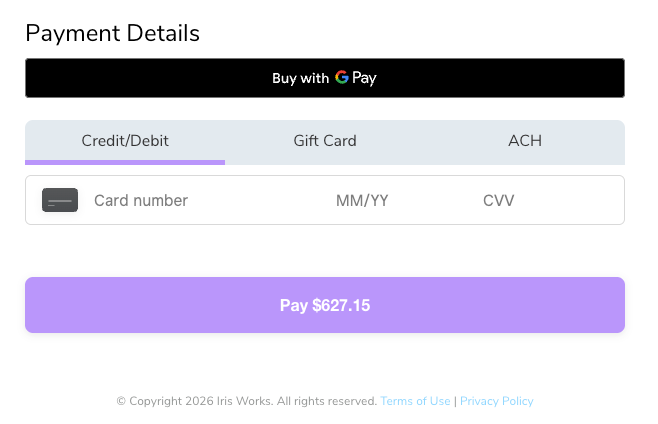
Through our Square Preferred Partner integration, your clients can pay invoices online - no phone calls, no checks, no hassle.
- Accept credit and debit cards
- Google Pay and Apple Pay supported
- ACH bank transfers available
- Clients pay directly from their invoice with one click
- Payments automatically recorded in the client profile
The client experience:
Clients receive their invoice by email, click "Pay Now," and complete payment in under two minutes from any device. No account creation required.
NEVER CHASE A PAYMENT AGAIN
Payment Reminders That Do the Follow-Up For You
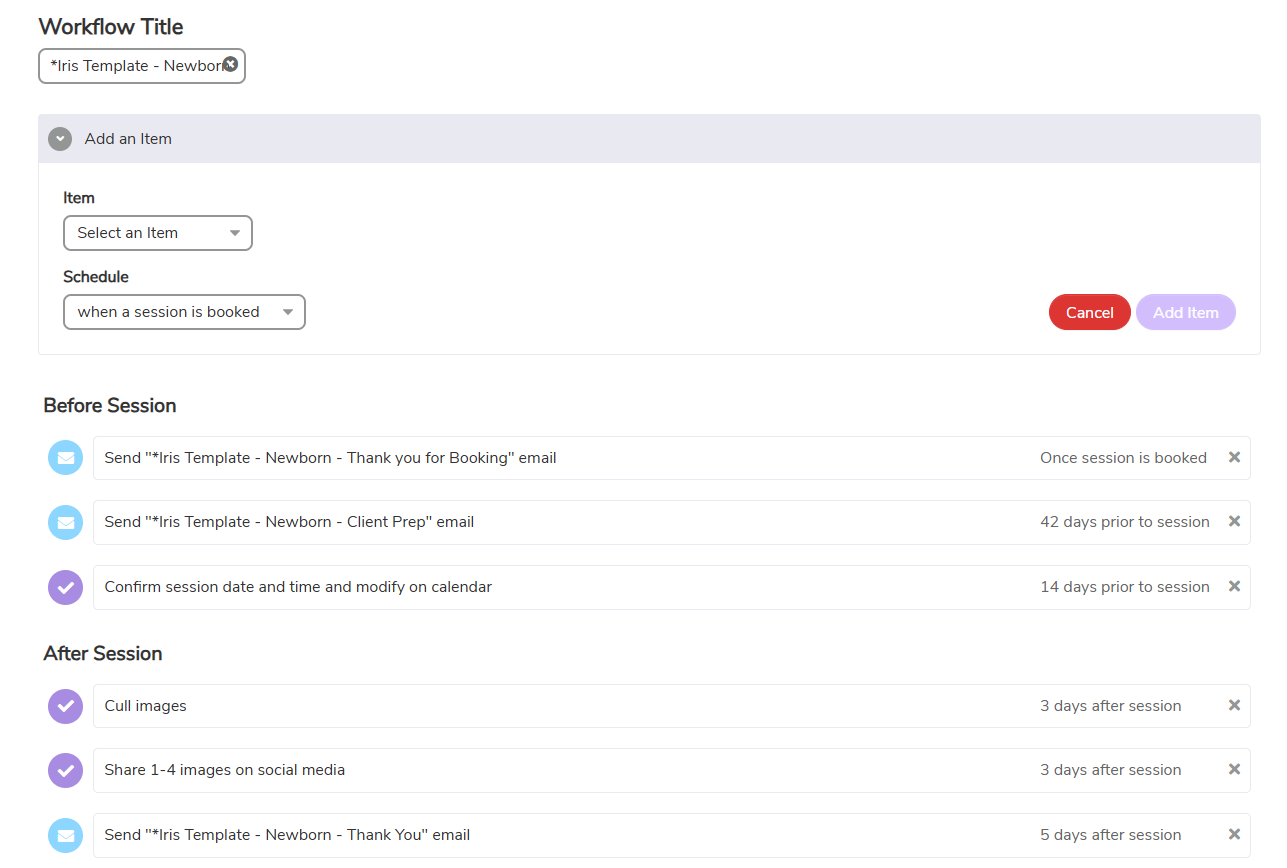
Forget the awkward "just checking in" emails. Set up automated invoice reminders in your client workflow, and Iris Works handles the follow-up automatically.
- Schedule automated reminders before and after payment due dates
- Customize reminder messages with your own voice and branding
- Trigger reminders as part of a larger automated client workflow
- See at a glance which invoices are paid, pending, or overdue
Time saved: What used to mean manual tracking and follow-up emails now runs on autopilot.
QUOTES BEFORE YOU COMMIT
Send Price Quotes Before the Invoice
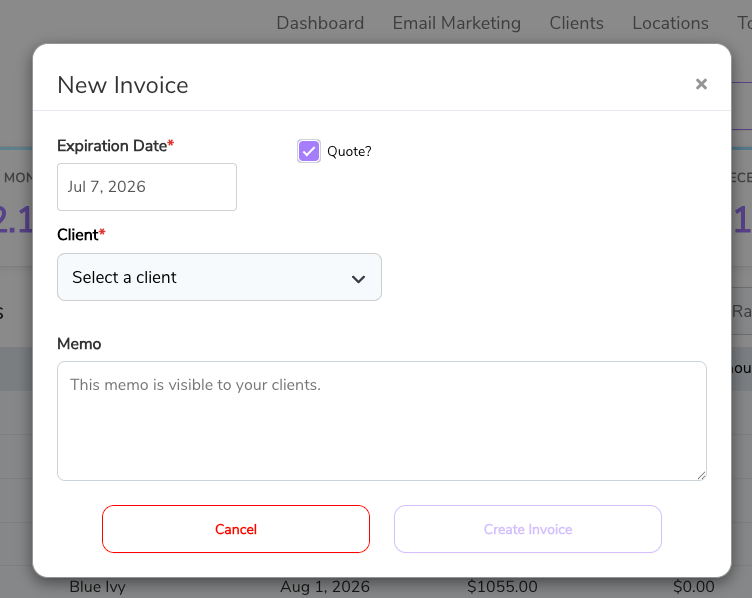
Not every inquiry converts immediately. Send professional price quotes to prospective clients, then convert them to invoices with a single click once they're ready to book.
- Create and send branded price quotes
- Convert accepted quotes directly to invoices - no re-entering data
- Track quote status (sent, viewed, accepted)
- Attach quotes to lead profiles for a complete inquiry history
EVERYTHING IN ONE PLACE
Invoices Connected to Your Complete Client Record
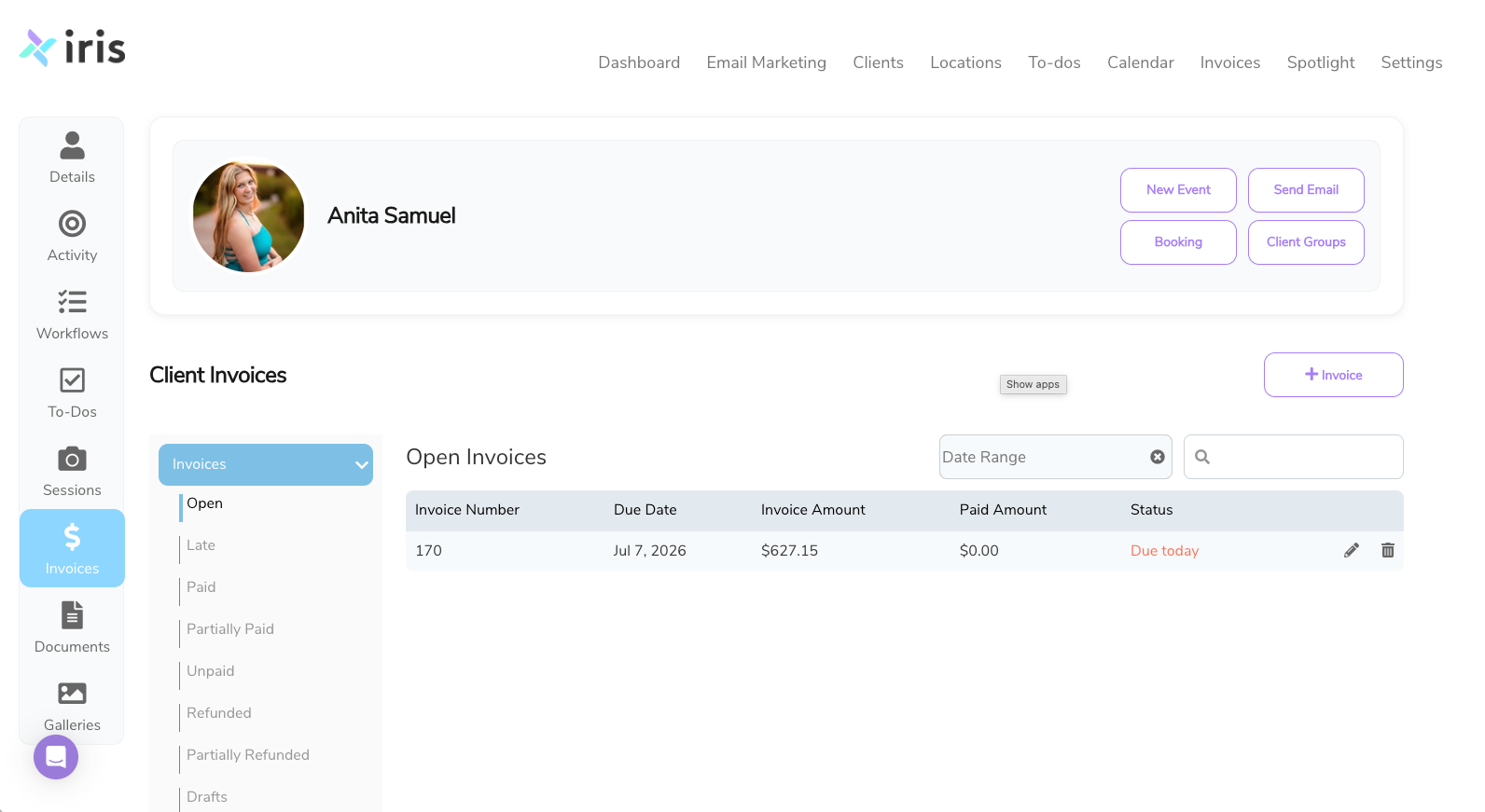
In Iris Works, invoices don't live in a separate app. Every invoice is connected to the client profile alongside their contract, questionnaire, session details, and communication history.
- View invoice status directly in the client dashboard
- See which clients have paid, what's outstanding, and what's overdue
- Link invoices to specific sessions and packages
- Access full payment history for every client relationship
Your Photography Invoicing Workflow in 4 Simple Steps
1
Create Your Invoice Template
Build a professional invoice template for each session type you offer. Add your pricing, payment structure, and terms. Save it - you'll never have to build it from scratch again.
2
Pay the Invoice at Booking
When a client books a session, client's pay their invoice automatically as part of your booking workflow - or send it manually whenever you need to. Client details fill in automatically from their profile.
3
Client Pays Online
Your client receives a clean, professional invoice via email. They click "Pay Now" and complete payment by credit card, ACH, Apple Pay, or Google Pay - from any device, in minutes.
4
Payment Recorded Automatically
Once paid, the invoice updates in the client's profile instantly. Automated workflows handle any remaining payment reminders or follow-ups. You stay focused on shooting.
Invoicing That Works With Your Entire Photography Business
Photography invoices don't exist in isolation. In Iris Works, your invoicing connects seamlessly to every other part of your client workflow:
Online Booking Integration
When clients book a session online, trigger an invoice automatically. They can choose a session time, sign the contract, and pay their deposit - all in one seamless flow. No back-and-forth required.
Contract Connection
Link invoices directly to signed contracts so every booking has both legal protection and payment documentation in one place. Always know which clients are fully confirmed.
Workflow Automation
Trigger invoice delivery and payment reminders automatically based on booking dates, session dates, or custom timing. Your billing runs on autopilot while you focus on shooting and editing.
Email Marketing
Follow up with clients who haven't paid, send gallery delivery announcements tied to paid invoices, or nurture repeat bookings - all from the same platform.
Complete CRM
Invoices live inside your full photography CRM alongside every client interaction - bookings, contracts, questionnaires, session notes, and communications. One platform, complete visibility.
Why Photographers Choose Iris Works Over Generic Booking Software
Side-by-side with the tools you're probably considering.
Photography Invoicing Solutions for Every Niche

Wedding Photographers
Invoice for full-day coverage, second shooters, and add-on services. Collect a retainer to hold the date and automate balance reminders leading up to the wedding. Keep every couple's billing tied to their contract and session details.

Newborn Photographers
Send invoices as soon as due dates are confirmed - before the baby arrives. Collect deposits early and automate the balance reminder. Connect invoices to safety waivers and session prep documents.

Family Photographers
Create separate invoice templates for mini sessions, full sessions, and holiday minis. Automate invoice delivery at booking and collect payment upfront or on a schedule.

Photography Studio Owners
Standardize invoicing across your team with shared templates and consistent payment policies. Every photographer in your studio bills the same way, and you get visibility into all client payments in one dashboard.

Portrait Photographers
Manage invoicing for seniors, headshots, and personal branding sessions with templates built for each niche. Automate everything from deposit collection to gallery delivery follow-up.

Commercial Photographers
Build detailed invoices with project-based line items, licensing fees, and usage rights. Send quotes before projects are confirmed, then convert accepted quotes to invoices with one click.
Start Invoicing More Photography Sessions Today
Join thousands of photographers who automated their booking process and reclaimed 15+ hours every week.
No credit card required • Full access to all features • Cancel anytime
Frequently Asked Questions About Photography Invoicing
What payment methods can my clients use to pay invoices in Iris Works?
Through Iris Works' Square integration, your clients can pay invoices using credit cards, debit cards, ACH bank transfers, Google Pay, and Apple Pay. They complete payment directly from the invoice link - no additional app or account setup required.
Can I create different invoice templates for different photography services?
Yes. You can create and save unlimited invoice templates in Iris Works - one for weddings, one for family portraits, one for newborn sessions, one for commercial work, and so on. Each template can have different pricing, line items, and payment terms.
How do I collect a deposit when a client books a session?
You can set up a payment schedule on your invoice that includes a deposit amount and a balance due date. When clients book, they can pay the deposit immediately through the invoice link. Iris Works will automatically remind them when the balance is due.
Can Iris Works automatically send invoices when a client books?
Yes. You can set up automated workflows in Iris Works to send invoices - including deposit invoices - automatically when a client books a session. The invoice populates with their booking details and goes out without any manual work on your end.
Can I send a quote before sending a formal invoice?
Yes. Iris Works includes quoting functionality so you can send a price quote to a prospective client. Once they accept, you can convert the quote to an invoice without re-entering any information.
Where are invoices stored for each client?
All invoices are stored in the client's profile inside Iris Works alongside their contract, questionnaire, session notes, and communication history. You can see the full payment status of every client at a glance from your dashboard.
Is Iris Works' invoicing connected to my booking system?
Yes. Because Iris Works is a full photography CRM, your invoicing connects directly to your online booking calendar, client profiles, contracts, and automated workflows. Clients can book, sign a contract, and pay a deposit all in one seamless flow.
Does Iris Works work for part-time photographers?
Absolutely. Iris Works scales with your business. Whether you book five sessions a year or fifty, the invoicing system works the same way - saving you time and keeping you organized regardless of your volume.
Can I use my own invoice language and payment terms?
Yes. Every invoice template in Iris Works is fully customizable. You can write your own payment terms, late payment policies, and custom line items. Build it once to reflect your business, then reuse it across every booking.
What is a retainer for photography, and how does it work in Iris Works?
A retainer (also called a deposit or booking fee) is a partial payment that secures a photographer's time on a specific date. In Iris Works, you set the retainer amount in your invoice payment schedule. When a client books, they pay the retainer immediately, and Iris Works schedules a reminder for the remaining balance.
How does photography invoicing software differ from general invoicing software?
photography invoicing software connects billing directly to session bookings, client contracts, and automated follow-up workflows. General invoicing tools like FreshBooks or Wave are standalone apps - you create invoices manually and manage client relationships separately. Iris Works does all of it in one place, designed specifically for how photography businesses operate.